Background
Version 1.5.x of BookLink Mobile requires that you DEX at all stores supporting DEX.
If you are unable to DEX and do a receiver scan at a store, you must bypass DEX using the instructions below.
Otherwise, the store will remain yellow, and the invoices will not appear on the End Day screen.
Bypassing DEX
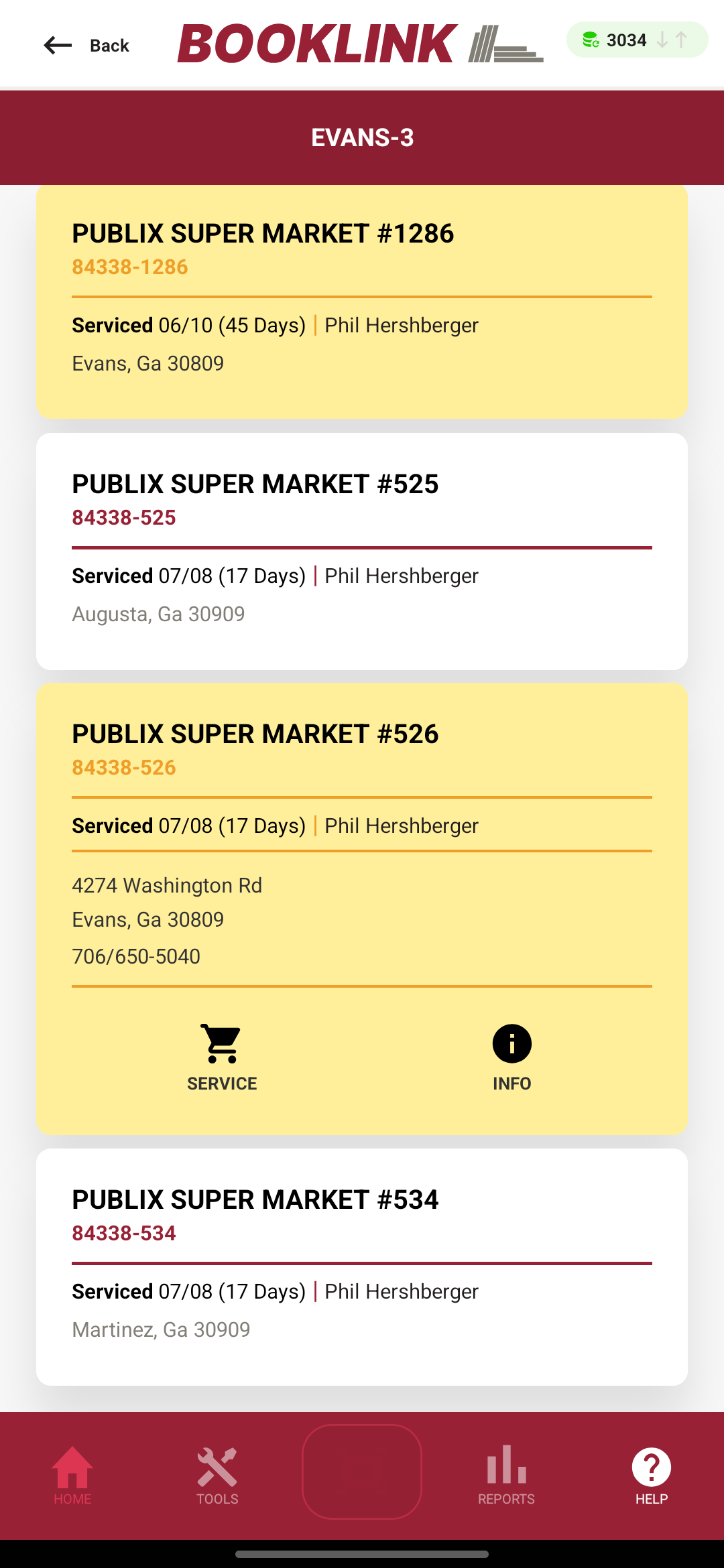
- Situation: You've serviced a DEX store but were unable to DEX. The store remains yellow, and the invoices are not on the End Day screen
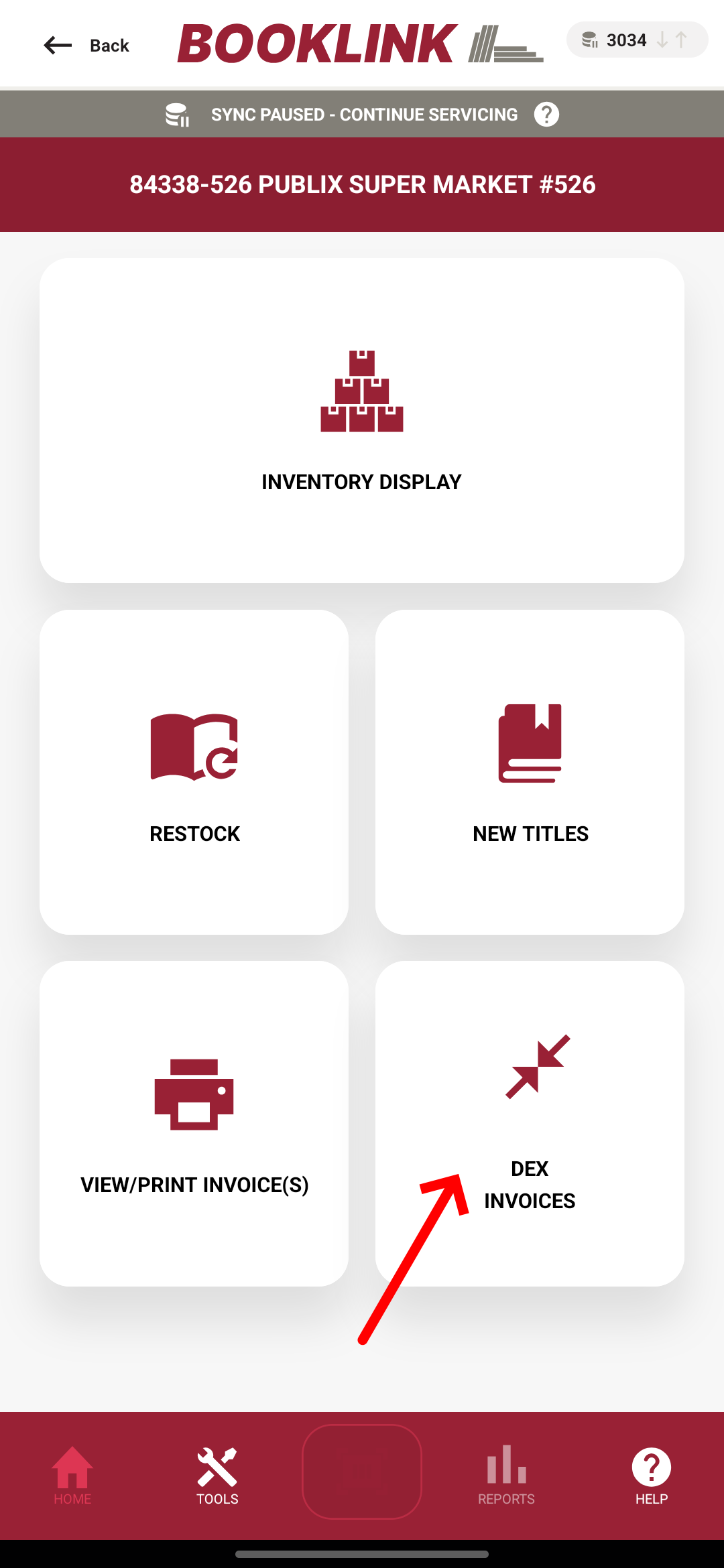
- Re-open the store, then tap DEX INVOICES
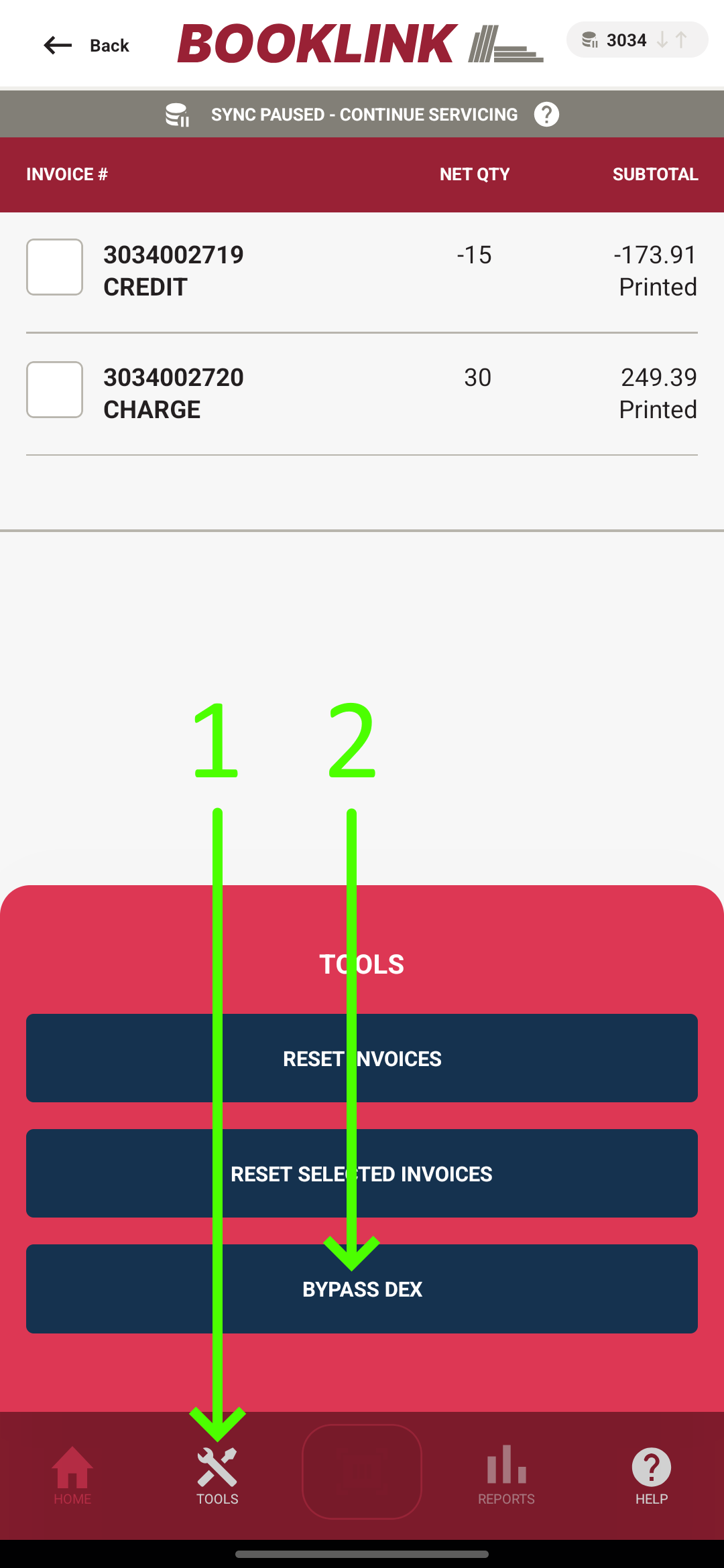
- Tap Tools, then tap BYPASS DEX
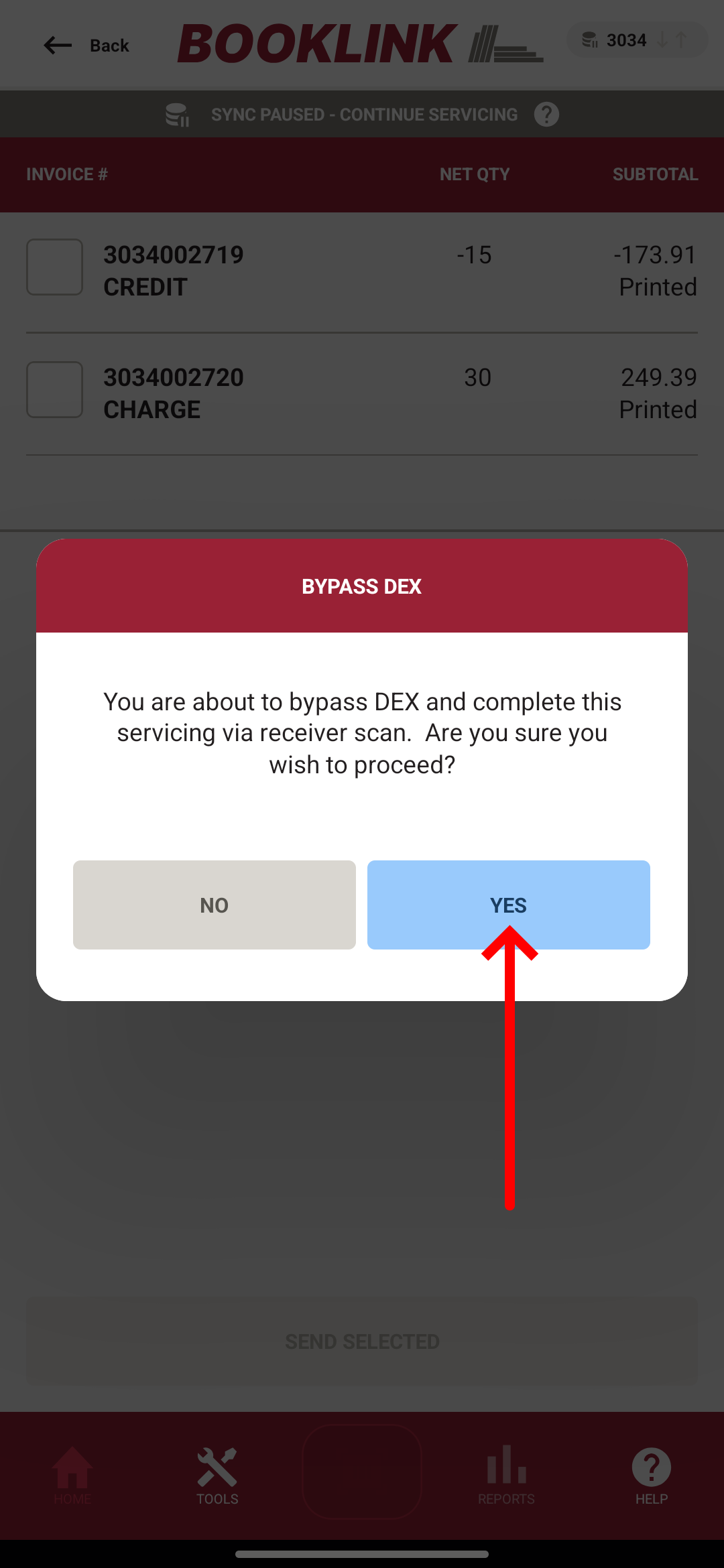
- Tap YES
- The store should now be green, and the invoices should be on the End Day screen
Was this article helpful?
That’s Great!
Thank you for your feedback
Sorry! We couldn't be helpful
Thank you for your feedback
Feedback sent
We appreciate your effort and will try to fix the article