NAPS2 is a software application that the IT department may install on your workstations to allow you to scan documents to your computer. This is a quick start setup guide
- To find the application, search 'NAPS2' from the Windows start menu. You may create a desktop shortcut if you want.
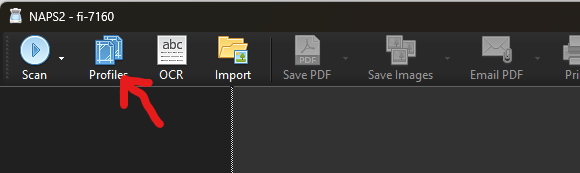
- Click on Profiles, then Add a new profile.
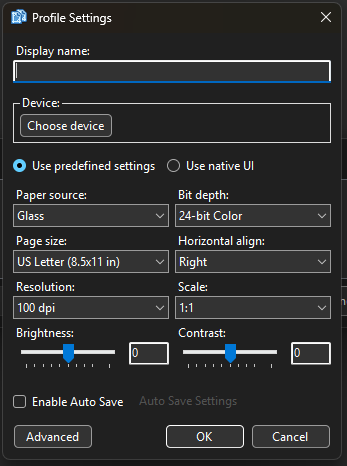
- Give the profile a name and configure the settings. You will need to choose device and paper source at minimum. Please note that if you cannot find the scanner under Choose Device, you may need to reach out to the IT department to have the scanner's driver installed on your computer.
- You are ready to scan. You can scan multiple pages, and save them as a picture or pdf, or attach them to an email.
Was this article helpful?
That’s Great!
Thank you for your feedback
Sorry! We couldn't be helpful
Thank you for your feedback
Feedback sent
We appreciate your effort and will try to fix the article