Self Service Password Reset or SSPR gives users the ability to reset their account password without intervention from IT, using the MS Authenticator app on their phone.
Prerequisite: Multi Factor Authentication must be configured in your Microsoft Authenticator app to use SSPR.
1. Open the MS Authenticator app, and tap on your account.
2. Tap "Change Password".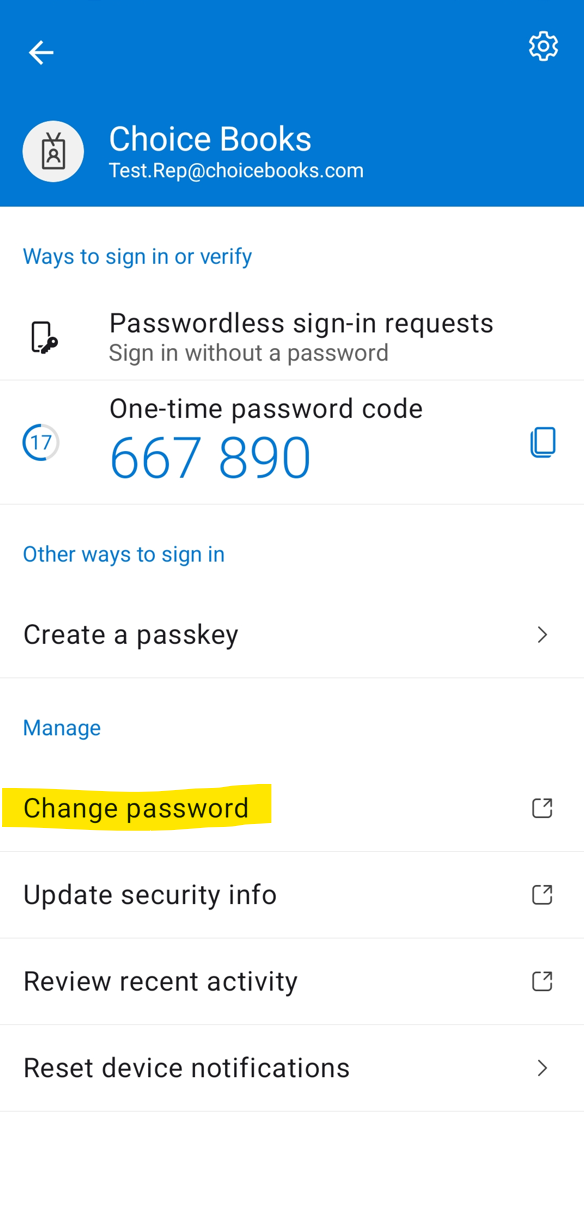
3. Set your new password. You will need to enter a matching password in both spaces with three forms of complexity (uppercase, lowercase, number, or symbol) and at least 8 characters long. Then press Submit.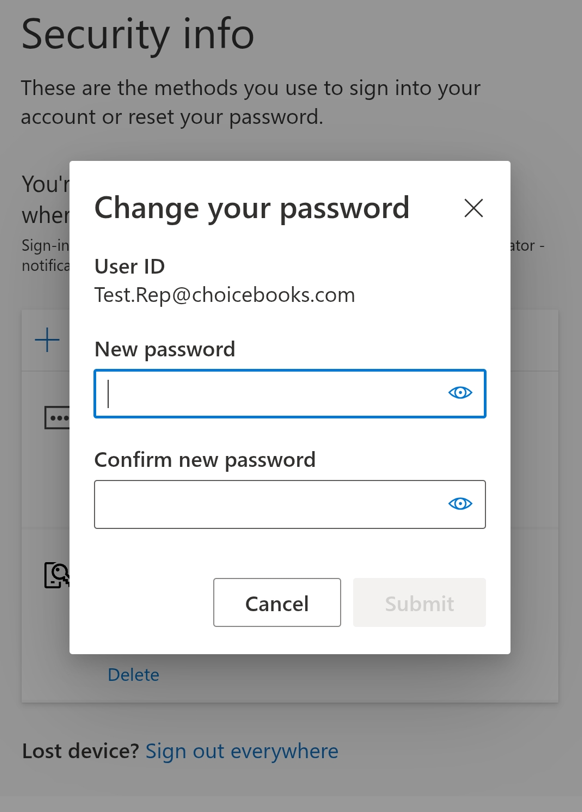
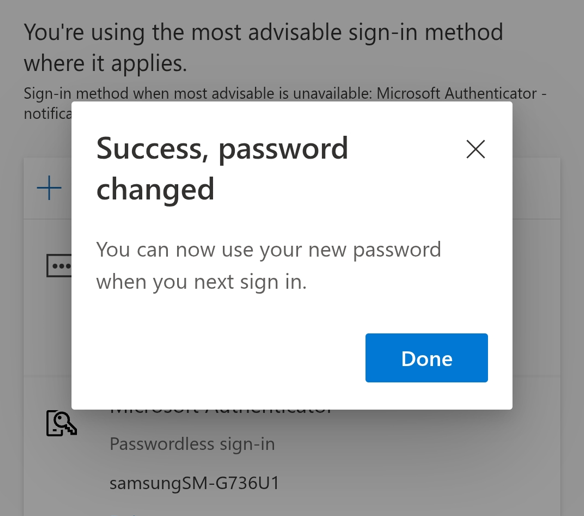
4. Press Done. You have successfully reset your password.
Was this article helpful?
That’s Great!
Thank you for your feedback
Sorry! We couldn't be helpful
Thank you for your feedback
Feedback sent
We appreciate your effort and will try to fix the article